
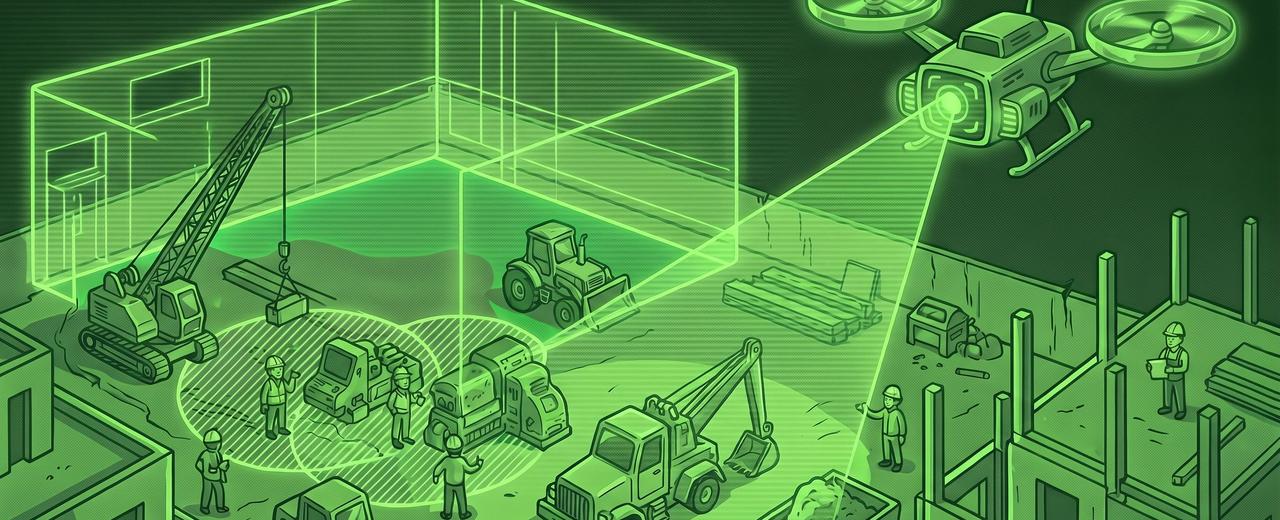
TL;DR. AI in construction is finally past the demo stage — but only for a handful of jobs. The 5 plays AEC SMBs (50–200 employees) should actually run this quarter: AI takeoffs from drawings, RFI/submittal triage, daily-report-to-owner-report automation, JHA drafting from voice, and bid-letter generation from past wins. Skip autonomous scheduling, autonomous procurement, and autonomous QA — they fail on real sites. Tools, setup time, and failure modes for each, plus a 90-day rollout. The AI tools we've vetted for construction operations are sorted by the job, not by the buzzword.
Construction is the slowest-adopting industry on AI in the U.S. Only 27% of AEC professionals currently use AI; 73% don't (Bluebeam Global AEC Survey 2025, via ASCE). The Royal Institution of Chartered Surveyors found 45% of firms have no AI implementation at all and only 1.5% use AI across more than one process (RICS, 2025, via Construction Dive).
There are good reasons for the lag. Work happens on sites, not at desks. Revenue is project-based, not recurring. Data lives on paper, in foremen's heads, or in PDFs nobody indexed. And the industry has watched two decades of overpromised "construction tech" come and go.
The 2026 picture is different. Procore, Autodesk, and Bluebeam ship AI inside their core suites. Document-native tools (Togal, Beam, Document Crunch) are doing in 20 minutes what used to take two estimators a week. And the AGC / Sage 2025 Hiring & Business Outlook found 61% of construction firms now use AI or plan to increase investment, up from 44% in 2024 — half the industry is moving, the other half is still watching.
This article is the conversation we have with AEC owners (50–200 employees) when they ask which AI projects are worth running this quarter. Five plays that work, three that don't, and the integration work that matters more than the AI itself. For the broader framework, the AI No-Hype Guide is the pillar. This is the construction-specific cluster.
Why construction has been slow on AI (and why that's changing in 2026)
Construction has lagged on AI because the work is paper-heavy, project-based, and built around contractors burned by generic SaaS. What's changing in 2026 is that AI tools have finally become site-aware — they read drawings, take voice input from the field, and run inside the PM systems firms already use.
Three structural reasons explain the lag. First, workflow shape: a typical mid-sized GC runs 8–25 active projects, each with its own subs and drawings. Generic horizontal AI tools assume a desk-bound recurring workflow. They don't survive contact with project-based work where data resets every six months.
Second, hard-earned skepticism. Construction has been told for 20 years that some new tech (BIM, IoT, drones) will fix productivity. McKinsey keeps surfacing the same number — construction productivity has grown ~0.4% per year from 2000 to 2022, versus 1.4% for the broader economy (McKinsey, The Next Normal in Construction). Owners have heard the pitch and watched gains not show up.
Third, data plumbing. Construction data lives in five places that were never designed to talk: PM tool (Procore, Buildertrend), accounting (Sage, Foundation, QuickBooks), field tools (PlanGrid, Fieldwire), estimating (PlanSwift, On-Screen Takeoff), and email.
What's different in 2026 is the tooling. Three shifts matter:
- Site-aware models. Togal.AI and Beam AI read PDF drawings and produce takeoffs at up to 98% accuracy. Lab work in 2023; billable now.
- Voice as primary input. Foremen don't open laptops; they talk. Transcription + LLM summarization (Otter, Fathom, Procore Assist) finally make field-to-office reporting workable.
- Native integration with existing tools. Procore's Helix, Autodesk's AI Construction IQ, and the agent-builder pattern across major suites mean AI turns on inside tools you already pay for, not as another login.
McKinsey suggests AI could lift construction productivity up to 20% — five times the sector's two-decade growth rate. Not achievable firm-wide in year one. Achievable on individual workflows, repeatedly. That's the next section.
5 plays AEC firms can run this quarter
The 5 AI plays we tell construction SMBs to run this quarter, in order of risk-adjusted ROI: AI takeoffs from drawings, RFI/submittal triage, daily-report-to-owner-report automation, JHA drafting from voice, and bid-letter drafting from win/loss history. Each is scoped to a single workflow, ships in 30–90 days, and pays back inside a quarter.
Each play has the same structure: what it does, tools, setup time, ROI, and where it breaks. The "where it breaks" line is the one most vendor sites won't print. The AI tools we've vetted for AEC ops are sorted by the job, not the buzzword.
Play 1: AI estimating from drawings
- What it does. Reads PDF drawings or BIM models and generates quantity takeoffs — door counts, drywall square footage, linear feet of conduit — outputs to spreadsheet or bid package.
- Tools. Togal.AI ($299/user/month, billed annually — up to 98% claimed accuracy, 5x faster), Beam AI (concierge model: custom takeoffs in 2–3 days, aligned to your internal formats), and PlanSwift's newer AI add-ons for firms already on that stack.
- Setup. 2–4 weeks. Most of the time goes to standardizing your assemblies and naming so AI output drops cleanly into your bid template.
- ROI. 15–25% fewer estimating hours per bid. For a firm with two full-time estimators, that's roughly one estimator's capacity recovered without new headcount.
- Where it breaks. Bad drawings. AI takeoff works on clean architectural sets and degrades fast on marked-up plans, rotated scans, or jobs where half the spec lives in an addendum. Use it first on clean commercial fit-out and repeatable building types.
Play 2: RFI and submittal triage
- What it does. Reads incoming RFIs and submittals, classifies by trade and urgency, drafts a first-pass response by searching specs and prior RFIs, routes to the right PE.
- Tools. Procore native AI (Helix + Procore Assist + the RFI Creation Agent — best if you're already on Procore), Document Crunch for contract and spec language risk, and Zapier-or-n8n + Claude for Buildertrend or custom stacks.
- Setup. 1–3 weeks in Procore (configuration). 4–8 weeks for a custom workflow — you'll feed it your spec library and a year of historical RFIs.
- ROI. 30–50% faster response time on routine RFIs, no measurable change on the 10–15% that need a human PE. Speed up the routine, leave the hard ones alone.
- Where it breaks. Contract risk. AI-drafted responses can commit your firm to an interpretation a senior PE wouldn't have signed. AI drafts, humans send. Anyone selling fully autonomous RFI response is selling you a lawsuit.
Play 3: Daily reports → owner progress reporting
- What it does. Ingests daily reports your foremen already file (Procore, Fieldwire, voice memos, photos), compiles weekly/monthly progress narratives for owner reports, drafts the cover email. PM reviews, edits, sends.
- Tools. Procore AI summaries, ClickUp + Claude or ChatGPT for non-Procore stacks, Otter or Fathom for field voice notes.
- Setup. 2–4 weeks, mostly templating: define the owner-report structure (schedule, costs, RFIs, change orders, safety, look-ahead) and feed the AI good examples.
- ROI. Owner reports go from 4–6 hours of PM time per project per month to 30–60 minutes of review. On a 10-project portfolio, 30–50 senior-PM hours recovered monthly.
- Where it breaks. Garbage in, garbage out. If foremen capture inconsistent things, or PMs fill reports in retroactively, AI output looks plausible but is operationally wrong. Fix the daily-report standard first.
Play 4: Safety incident classification and JHA drafting
- What it does. Foreman speaks into a phone, AI drafts the Job Hazard Analysis, classifies by hazard category, routes to safety lead for review and signoff. Same flow for incident reports.
- Tools. Voice-to-text (Otter, Fathom, native iOS dictation) feeding Claude or ChatGPT. Safety lead reviews inside SafetyCulture, Procore Quality & Safety, or SharePoint.
- Setup. 3–6 weeks. The hard part is feeding the AI your firm's prior JHAs and incident reports so drafts sound right and reference the OSHA standards for your trades.
- ROI. Big on time, contingent on culture. JHA completion rates go from 40–60% to 85%+ when friction drops to "talk for 90 seconds." Insurance and EMR effects are real but lag a year+.
- Where it breaks. Two ways. AI hallucination on safety standards is a hard no — review every draft. And this backfires if it replaces the safety conversation instead of capturing it. Roll out with that framing or skip.
Play 5: Bid letter and proposal drafting from win/loss history
- What it does. Indexes past bid letters, win/loss notes, and case studies into a vector database. On a new pursuit, AI drafts the qualifications letter and tailored proposal sections by retrieving prior wins and matching tone and scope.
- Tools. Notion or SharePoint as the doc store, an embeddings layer (OpenAI, Anthropic, or self-hosted Qdrant), Claude or ChatGPT for drafting. Off-the-shelf: Hunch, Loopio, BD modules in major construction CRMs.
- Setup. 4–8 weeks. AI is the easy part. The work is curating past bids out of email, deduplicating versions, tagging by trade and project type. Most firms discover their BD knowledge lives in three people's heads. Surfacing it is half the value.
- ROI. First-draft time for qualifications and proposal sections drops from 8–15 hours to 1–3. For firms pursuing 30+ bids a year, 200+ BD hours recovered.
- Where it breaks. Generic AI proposals get caught immediately by experienced selection committees. Works only if AI retrieves from your prior bids and writes in your voice. Writing assistant for a senior BD person, not a replacement.
Where AI fails in construction (don't try these in 2026)
Three AI use cases consistently fail on real construction sites in 2026: autonomous scheduling, autonomous procurement, and autonomous quality control. They break on the unpredictability of real jobs, the relational nature of vendor decisions, and the consequences of getting QA wrong.
Autonomous scheduling. Vendors will demo an AI that ingests historical data, weather, and supply-chain feeds and "optimizes" the schedule. The demos look great. The reality is that construction schedules break for reasons the model wasn't trained on — a sub with the wrong crew, an inspector having a bad week, a code interpretation a city won't sign off on. Recent academic reviews flag adaptability as the core unsolved problem (MDPI Buildings, 2025). Use AI to suggest schedule reorderings; never let it commit them.
Autonomous procurement. AI can scan vendor catalogs and produce price comparisons faster than a buyer. It breaks on the relational layer — 15 years of who paid on time, who showed up when their crew got sick, who's a phone call away. None of that is in the catalog. AI procurement that ignores the relationship layer optimizes for a price you don't actually pay.
Autonomous quality control. Computer-vision QC has been the future for ten years and remains the future. The site environment is too variable: lighting, dust, partial occlusion, the difference between "drywall with a defect" and "drywall waiting for skim coat." Use AI to flag candidates for human inspection; never to sign off. Construction-site safety literature reaches the same conclusion: current systems are best as supervisory aids (MDPI, 2025).
The pattern: AI does well on tasks where the cost of a mistake is "we redraft," and badly on tasks where the cost of a mistake is "we're in court." Pick your plays accordingly.
What to integrate first (the data plumbing matters more than the AI)
Three integrations need to be in place before any AI play delivers: PM ↔ accounting, PM ↔ field tools, field tools ↔ document storage. Without these, AI works on partial data and produces confidently wrong outputs.
Most construction-AI articles skip this section because it's less exciting than the model. It's also the section that determines whether any play above actually works.
- PM tool (Procore, Buildertrend, CMiC) ↔ Accounting (Sage, Foundation, Vista, QuickBooks Enterprise). Without it, AI owner reports say "schedule on track, budget unclear" — budget lives in Sage, schedule in Procore, nothing reconciles in real time.
- PM tool ↔ Field tools (PlanGrid, Fieldwire, drone capture, voice notes). Without it, daily reports miss the field photo log, punch list, or labor hours. AI rollups against incomplete data read as authoritative and are wrong.
- Field tools ↔ Document storage (Procore Documents, SharePoint, the network drive). Without it, the AI looking for "the latest revised drawing for spec 03 30 00" finds three versions and picks the wrong one.
The fix is rarely a giant project: a two-week audit of where data lives, a connector layer (Procore native integrations, the iPaaS in your PM tool, or Zapier or n8n for the long tail), and a retirement plan for redundant systems. Most firms we audit pay for two PM tools and three document stores. Pick one of each.
The integration work isn't optional. Firms that skip it land in the 80%-fail bucket. For the deeper read, the Systems Integration Guide for SMBs is the sibling pillar — same problem in a different costume.
The 90-day rollout plan for a 50–100 employee AEC firm
The right pace for a 50–100 employee construction firm is one play per month, fastest payback first. Weeks 1–4: takeoffs. Weeks 5–8: RFI or daily-report automation. Weeks 9–12: integration cleanup. No more than three plays in Q1.
- Weeks 1–2 — Audit and baseline. Name an owner (tech-comfortable PM, estimator tired of takeoffs, or COO) with 5 hours a week of protected time. One-page audit: which PM tool, which accounting, which field tools, where data lives, and one workflow painful enough to be the first target. No purchases yet.
- Weeks 3–6 — Play 1 (AI takeoffs). One seat on Togal or Beam. Run parallel to manual for 4–5 bids. If it lands at 90%+ accuracy and 50%+ time savings, expand to 2–3 seats. If not, that's data — try the other tool, or learn your drawings are too messy and Play 3 is the real first move.
- Weeks 7–10 — Play 2 or Play 3. If PMs are drowning in RFIs, do triage. If owner reports eat Friday afternoons, do daily-to-owner automation. Don't do both at once.
- Weeks 11–12 — Integration cleanup. Fix the worst gap from weeks 1–2 — usually PM ↔ accounting. This sets up Q2 because Plays 4 and 5 need cleaner data.
- Quarter 2. One more play. Continue retiring redundant tools. By end of Q2: two-to-three plays in production with before/after numbers and a clear "we're not doing this" list.
This pace looks slow against the LinkedIn version of AI rollouts. It's not — it's the pace at which AI plays actually stick at the 50–200 employee tier.
If you want help running this without burning a senior PM for three months, STOA's AI Workshop produces the audit, priority play, and 90-day plan in a 90-minute session. Or use the AI Tech Advisor for a free construction-fit shortlist matched to your stack.
Frequently asked questions
What's the ROI of AI in construction?
Realistic ROI for AI in construction at the 50–200 employee tier is 15–25% time savings on the workflow being automated, paying back inside one quarter when sized right. Headline numbers like "5x faster takeoffs" are achievable on individual workflows, not across the whole firm in year one. ROI compounds across plays — a firm running takeoffs, RFI triage, and daily reporting typically sees 10–15% margin lift on a portfolio of 10+ jobs by month 12.
Can AI do takeoffs from drawings?
Yes — Togal.AI, Beam AI, and the AI inside PlanSwift produce quantity takeoffs from clean architectural drawings at up to 98% accuracy, roughly 5x faster than manual on-screen takeoff. The catch is "clean drawings." Accuracy degrades fast on marked-up plans, rotated scans, or jobs where half the spec lives in addenda. Run AI takeoff in parallel with manual for 4–5 bids to calibrate on your project mix before going single-source.
What's the easiest AI use case for a contractor to start with?
The easiest entry point is AI for writing — proposal drafts, RFI responses, daily-report rollups — using a $20–$30/seat license to Claude, ChatGPT, or Gemini for the office team. Smallest blast radius (worst case: PM rewrites a draft), fastest payback (cost recovered in week one). Takeoff and RFI triage are higher-impact but require more setup. Start with writing, prove it, then graduate.
Will AI replace estimators or project managers?
No — and firms talking about replacing estimators with AI are usually the ones whose estimators won't be there in two years for unrelated reasons. What AI does is absorb the repetitive parts of the work (manual takeoffs, RFI drafts, status report writing), letting a 5-person estimating team operate like a 7-person team and a PM run 12 jobs instead of 8. Headcount stays the same or grows slightly. The work that disappears is the work nobody wanted to do anyway.
Closing. Construction owns one of the largest productivity gaps in the U.S. economy — and one of the cleanest opportunities to close it without a moonshot. The firms moving in 2026 aren't running pilots on autonomous robots. They're running narrow plays on takeoffs, RFI triage, and daily reporting, doing the integration work that makes the next year of plays possible, and compounding from there.
If you're ready to scope your first play, the AI Tech Advisor gives you a free construction-aware shortlist matched to your stack. The STOA AI Workshop produces the priority play and 90-day plan in one session. The trick is the same one in the AI No-Hype Guide: small bets, clean measurement, the discipline to keep what works and kill what doesn't.
About the author. Alejandro Morales is a senior operations consultant, systems architect, and AI engineer at STOA Digital Solutions. STOA helps SMB owners — including AEC firms in the 50–200 employee range — choose the right software, connect it, and deploy AI where it actually pays back. Based in the Triangle, NC; serving the US.
Sources cited.
- Bluebeam — Global AEC Survey 2025 (1,000 AEC professionals), via ASCE, December 2025. https://www.asce.org/publications-and-news/civil-engineering-source/article/2025/12/18/architecture-engineering-construction-sector-slow-to-adapt-ai-survey-shows
- RICS — AI in Construction Survey 2025, via Construction Dive, October 2025. https://www.constructiondive.com/news/builders-ai-survey-adoption-gap-construction/761632/
- AGC / Sage — 2025 Construction Hiring & Business Outlook. https://www.agc.org/2024-construction-hiring-and-business-outlook
- McKinsey & Company — The Next Normal in Construction and related productivity research. https://www.mckinsey.com/industries/engineering-construction-and-building-materials/our-insights
- Deloitte — 2026 Engineering and Construction Industry Outlook. https://www.deloitte.com/us/en/insights/industry/engineering-and-construction/engineering-and-construction-industry-outlook.html
- Togal.AI — public pricing page (2026). https://www.togal.ai/pricing
- Procore — Groundbreak 2025 announcement (Helix, Procore Assist, RFI Creation Agent). https://www.procore.com/press/procore-advances-the-future-of-construction-with-new-ai-innovations
- MDPI Buildings — Artificial Intelligence in Construction Safety: A Systematic Literature Review, 2025. https://www.mdpi.com/2075-5309/15/22/4084
- STOA Digital Solutions — operational observations from AEC SMB consulting engagements, 2024–2026.
Key terms.
- AEC — Architecture, Engineering, and Construction.
- Takeoff — measuring quantities (square footage, linear feet, fixture counts) from a drawing or BIM model to price a bid.
- RFI / submittal — Request For Information / submittal package. The largest sources of admin paperwork on any active job.
- JHA — Job Hazard Analysis. The pre-task safety document a foreman fills out before crews start work.

Written by
STOA Digital
COO & Co-founder of STOA, the tech and software team for small businesses that don't have one. Board President of XPX Triangle.
More about STOA